

Shopikassa automatically receives barcodes from your Shopify online store.
Make sure the barcode reader's end character is ENTER.
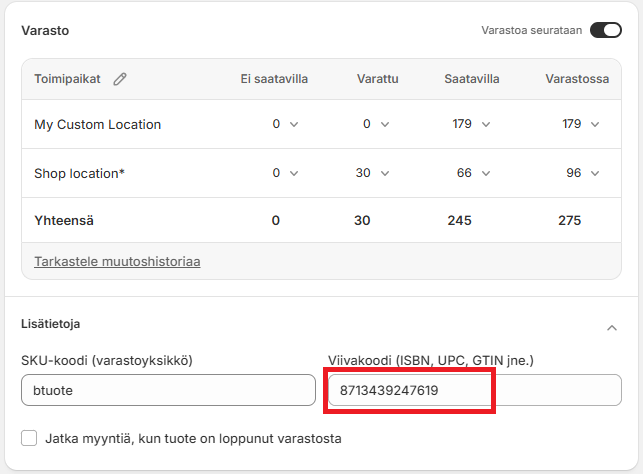
Enter the barcode in your Shopify online store
You can read the barcode with a barcode scanner:
Scan the barcode at the Shopikassa
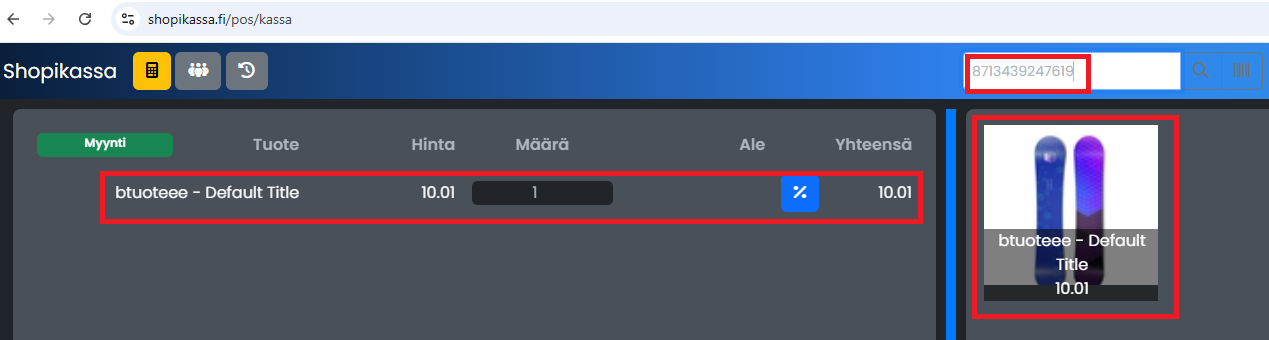
Scan the barcode at the Shopikassa. You can scan the barcode at any time, the search field does not need to be active.
If the product is found, it will be automatically added to the transaction:
Additional instructions
If the barcode does not work, make sure the barcode reader is properly installed and the end character is ENTER. Refer to the instructions for your barcode reader.
You can find a compatible barcode scanner here.
Try reading the barcode e.g. in Notepad e.g. 3 times. It should appear as in the image. 1 barcode per line:

Contact support if necessary
If you need further assistance, please schedule a call with support below.